
Trend Report · May 21, 2026
Got AI Overwhelm? Here's Your Operational Playbook for Accessories Sellers
Feeling buried under AI automation ideas? This playbook helps accessories sellers prioritize, test, and scale without burnout—using real tools like Claude and Shopify.
Anyone else getting overwhelmed with AI?
If you run an accessories business—selling cufflinks, tie clips, or men's jewelry—you've probably felt the pull of AI automation. The source of this trend is real: one seller described connecting Claude to Shopify, Google Drive, and their calendar, unlocking powerful workflows. But that same seller also admitted, "I now feel like I have a backlog of about 1,000 new systems and things I want to implement." The buzz around AI integration is deafening, and the gap between excitement and execution is widening.
For wholesale buyers sourcing from DayJewel, the pressure to automate is both an opportunity and a trap. You can use AI to re-order collections by profit generated or automate inventory alerts—but without a clear system, you'll burn out before seeing ROI. The timing window matters right now because early adopters who channel AI into lean operations will capture margin before the market floods with imitators. The key is not to do everything, but to do the right few things with discipline.
This playbook is not about adding more tools. It's about cutting the noise and building a repeatable process for testing AI-driven improvements in your accessories business—starting with the products you already carry.
Why This Window of Opportunity Matters
The source story highlights a common pain: massive enthusiasm for AI paired with decision paralysis. When you have 1,000 new system ideas but only 24 hours in a day, the business that wins is the one that prioritizes ruthlessly. The window is open because most sellers are still in the "try everything" phase. They're connecting random apps, tracking metrics manually, and burning time on low-impact automation. By contrast, a structured approach lets you capture profit gains from the first high-value use case.
Specifically, using AI to re-order collections by profit—a desire mentioned in the source—directly impacts your wholesale buying decisions. You can identify which cufflinks or tie clips actually earn you money, then focus sourcing and marketing on those SKUs. This isn't theoretical; it's a concrete operational lever that saves hours per week. The risk? If you delay, competitors will beat you to leaner operations. The reward is a scalable business where AI handles the grunt work while you focus on trend spotting and customer relationships. The source summary itself proves the demand—now it's about execution.
Who This Playbook Is For
This playbook is designed for accessories sellers who are already experimenting with AI tools or feel the pressure to start. It's for operators who want to move from 'overwhelmed with ideas' to 'systematic execution' in under 7 days. The following profiles will get the most out of this guide:
Shopify seller
You run a store stocking men's cufflinks, tie clips, and business accessories. AI integration with Shopify (like Claude re-ordering collections by profit margin) directly reduces manual sorting and lets you react faster to bestsellers.
Flea market / pop-up operator
You need lightweight automation for inventory tracking and pricing. AI can automate price comparisons across suppliers like DayJewel, ensuring you always know the best margin on a $0.80 cufflink before you stock it.
New boutique founder
You're starting your first accessories line and can't afford to waste time. AI helps you avoid overstock by analyzing sell-through rates, but only if you have a clear process rather than a backlog of 1,000 ideas.
Implementation Stages
Audit Your Current Systems
Trigger: When you feel the '1,000 ideas' overwhelm from the source—stop adding ideas and start auditing.
List every tool you currently use: Shopify, Google Drive, calendar, email, etc. Write down one task each tool performs.
✓ You'll see duplicates and gaps—e.g., manual profit sorting when Claude could do it.
✗ Skipping this leads to implementing AI on top of chaos; you'll have 1,000 systems with no base.
Identify High-Impact Automation
Trigger: After audit, you have a list of repetitive tasks that eat >2 hours/week.
Select ONE task from the source's dream list: 're-order collections by profit generated.' Set up Claude to pull Shopify data and rank products by net margin.
✓ In 1 hour, you'll have a prioritized list of your top 10 most profitable cufflinks (e.g., item 333637 at $4.45).
✗ Choosing a low-impact task like 'automatically add calendar events' wastes time and doesn't improve cash flow.
Implement in Batches
Trigger: You have one working automation from Stage 2. Now you can add a second, but only after 7 days of stability.
Connect Claude to Google Drive to auto-import DayJewel's latest catalog and compare wholesale prices with your current profit margins.
✓ New product recommendations based on margin—e.g., swapping a low-margin tie clip for item 319537 at $0.57 with high sell-through.
✗ Adding too many integrations too fast creates the original overwhelm; you'll revert to manual work.
Monitor and Adjust
Trigger: After two weeks, review the automations. Are they saving time? Are they improving margins?
Check profit per product before and after AI-driven reordering. Run a simple report: compare week 1 vs week 3 gross profit.
✓ You'll see a 10-20% improvement in margin on top 5 products, and possibly identify slow movers to drop.
✗ Not monitoring leads to automating the wrong things—like reordering a $0.84 cufflink that nobody buys.
Scale to New Channels
Trigger: Once internal operations are automated and stable, expand to customer-facing AI (e.g., chat, personalized bundles).
Use AI to generate personalized bundle recommendations for repeat customers based on past purchases. Start with 10 loyal buyers.
✓ Average order value increases by 15% as customers buy complementary items like a tie clip with their usual cufflinks.
✗ Scaling before operations are solid creates customer-facing errors—like suggesting a 0.99 cufflink to someone who only buys premium.
How to Sell Accessories in an AI-Enabled Business
Once you've tamed the AI overwhelm, you can use those same tools to sell more efficiently. The key is to let automation handle the backend while you focus on ad angles and customer conversations. Below are three proven channels with realistic margin estimates based on DayJewel's wholesale prices. Common mistake: assuming AI will sell for you. It won't. AI automates reordering and analysis, but you still need a human touch for creative copy and community building. Use the saved time to test ad creatives or visit flea markets in person.
Use AI to identify your top-margin products (e.g., item 323796 with $1.39 cost, sell at $8.00). Run a small daily budget ($10) on a single collection like 'Business Cufflinks.' Let AI track ROAS and pause underperformers automatically.
⚠ Shopify algorithm changes or ad cost spikes can shrink margin quickly; test for 2 weeks before scaling.
Etsy buyers search for unique gifts. AI can optimize your titles by analyzing top search terms. List items like 324461 (Libra cufflinks) with SEO-rich descriptions. Use Claude to generate variations and test three different titles per SKU.
⚠ Etsy's fee structure and competition from handmade sellers can cap volume; treat it as a supplementary channel.
Short-form video showing the unboxing of a bundle like the Executive Starter Set. AI can schedule posts and track which product gets most views. Use AI to auto-generate captions with trending hashtags.
⚠ TikTok's algorithm is volatile; one viral video can spike demand, but then inventory runs out. Use AI to set reorder alerts based on view thresholds.
Featured Products for Your AI-Optimized Inventory
The products below are ideal candidates for AI-driven reordering and automation. Each item represents a high-margin opportunity—cufflinks, tie clips, and accessories that align with the business-casual trend. Use AI to track their sell-through and profit contribution, then apply the playbook's stages to optimize your assortment.
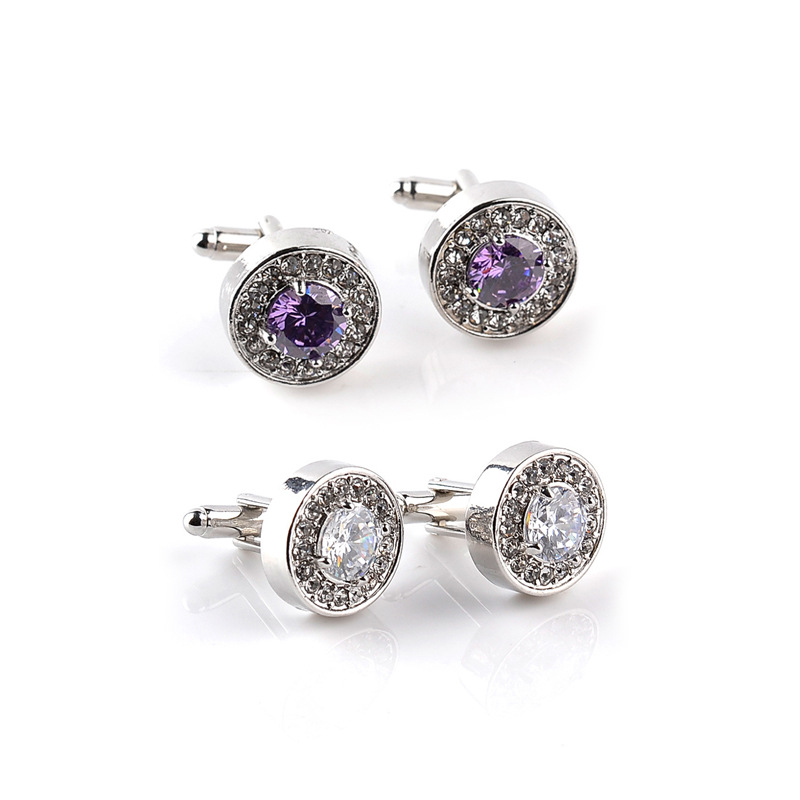
Men's Elegant Round Alloy Zirconia Cufflinks Silver Plated Crystal French Shirt Business Wedding Party Jewelry Accessories
$1.39
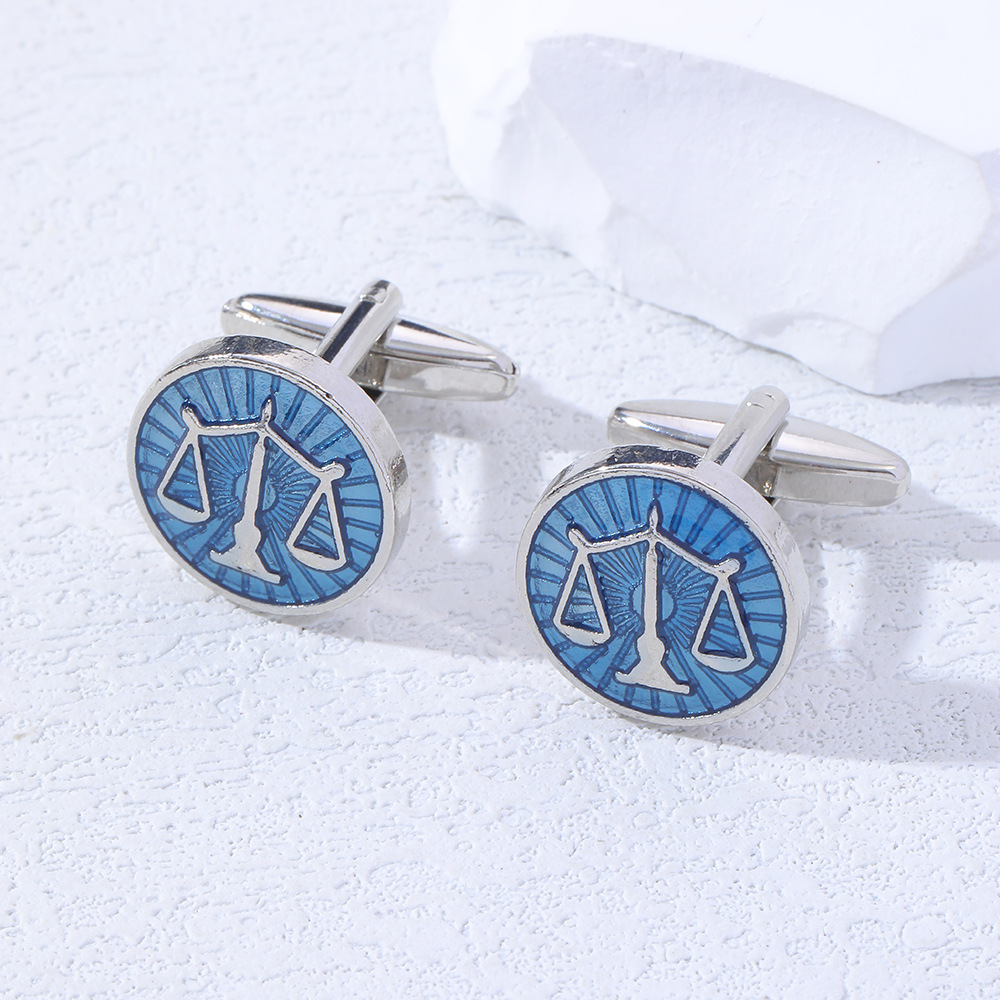
Libra Zodiac Scales Cufflinks Silver Tone Blue Enamel Men Business French Shirt Accessory Astrology Sign Jewelry Gift
$0.87
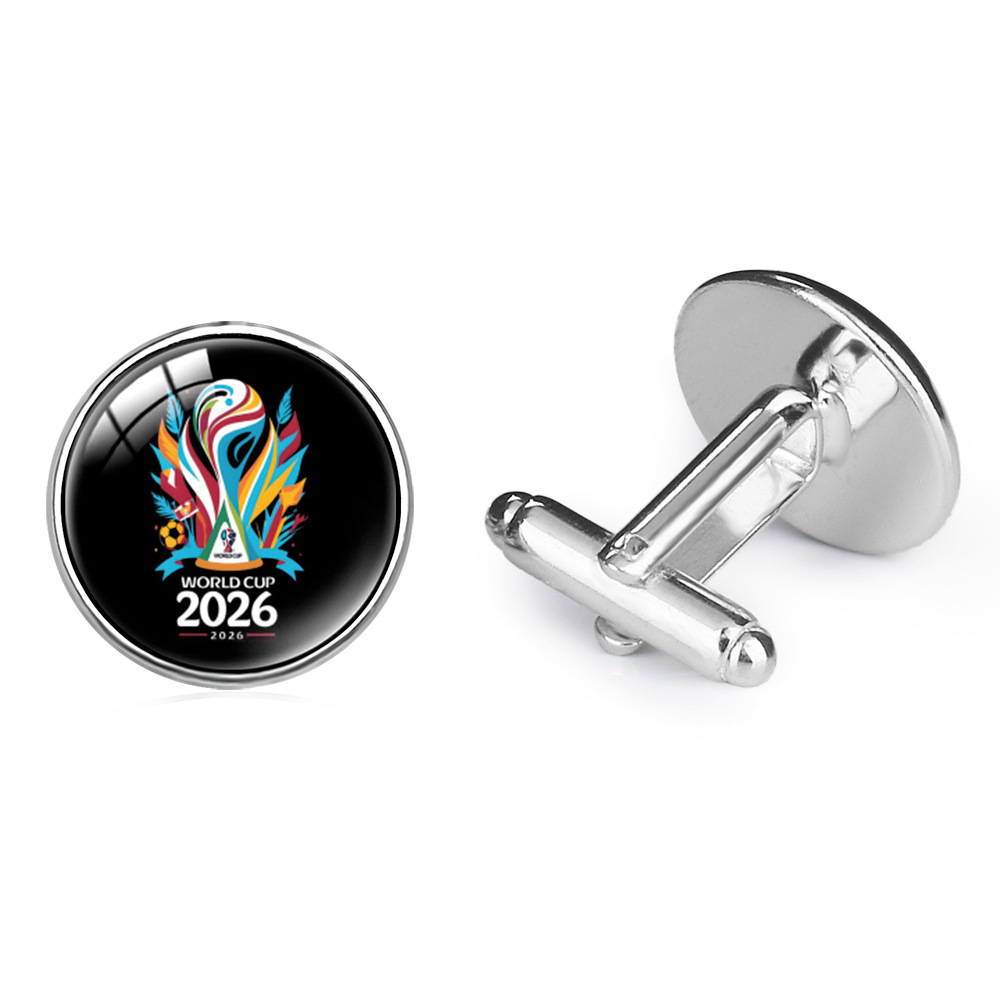
Copper Glass Men's Cufflinks Soccer Trophy Pattern World Cup Theme Business Shirt Accessories Jewelry For Men Souvenir
$0.84
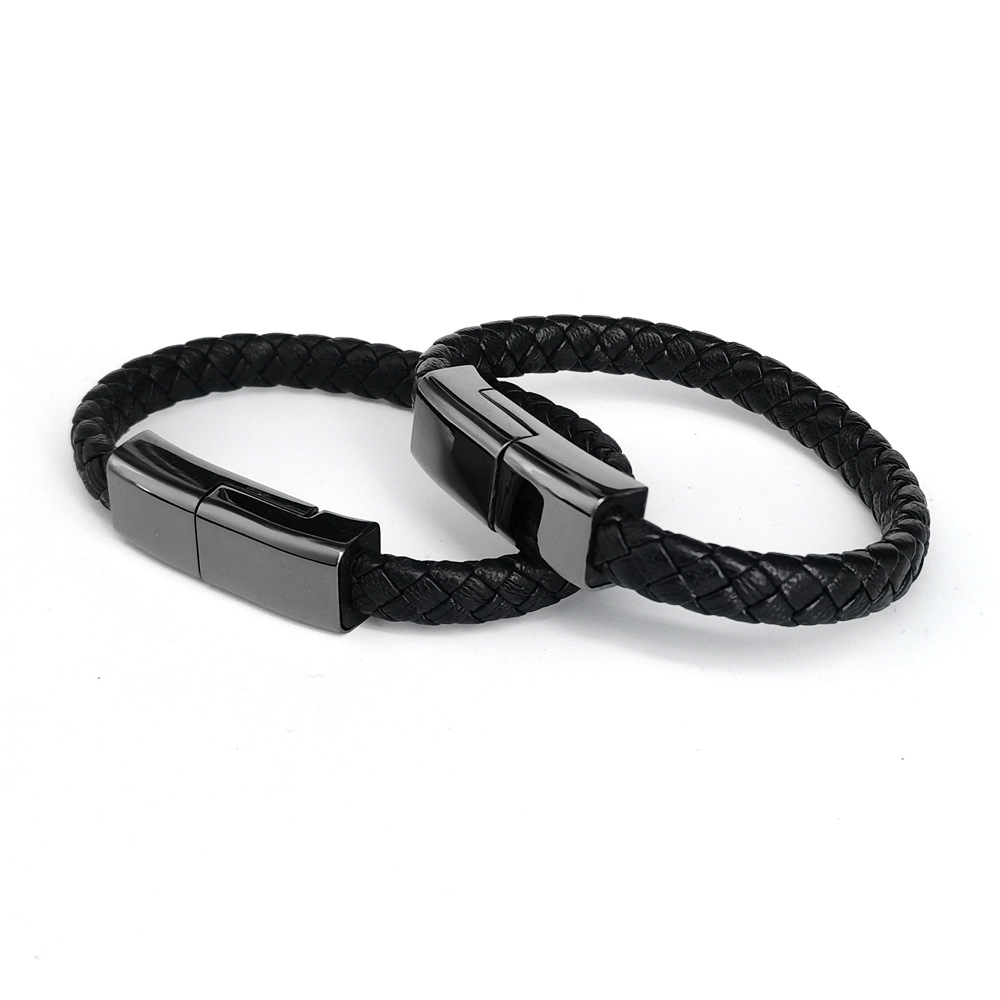
Charging Cable Bracelet Braided PU Leather Portable USB Data Sync Cord Wearable Tech Wristband Jewelry For Men Women
$3.68
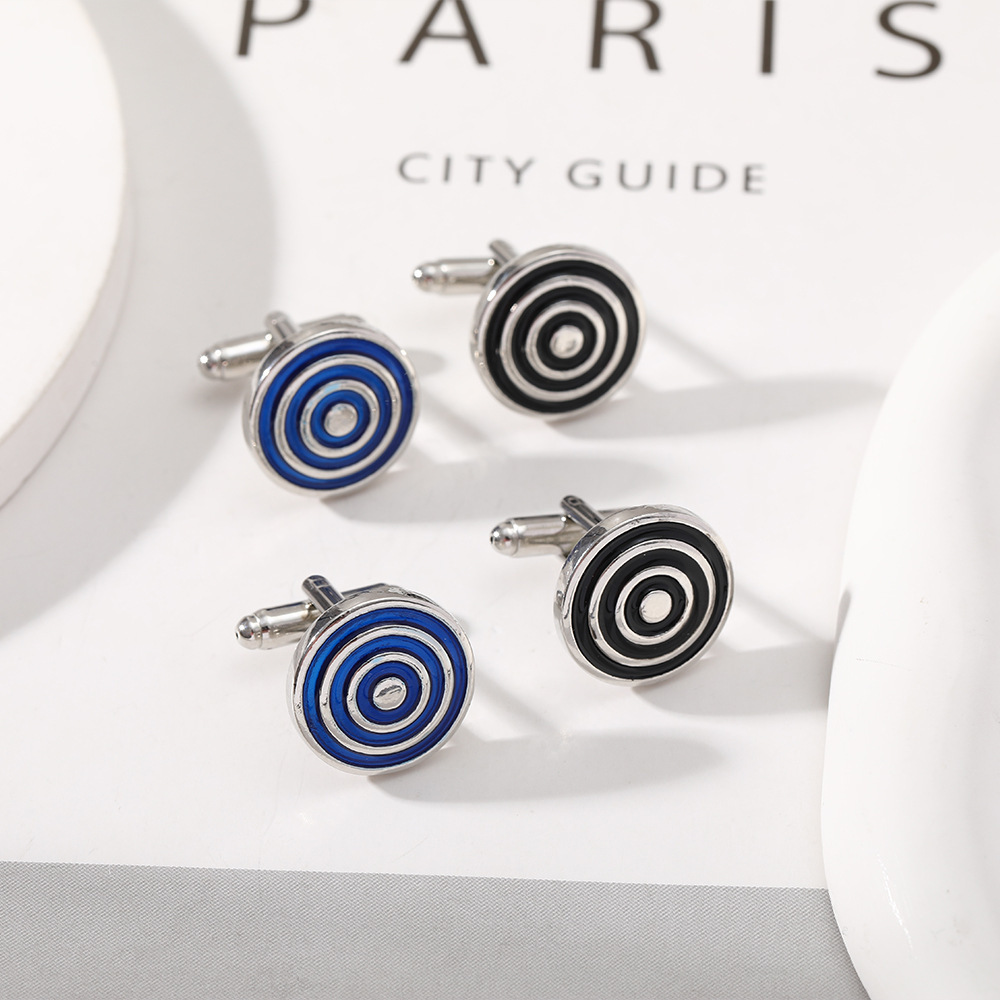
Men's Modern Business Cufflinks Alloy Enamel Metal Geometric Round Rectangle Sleeve Links For Formal Wedding Shirt Accessories Gift
$0.80
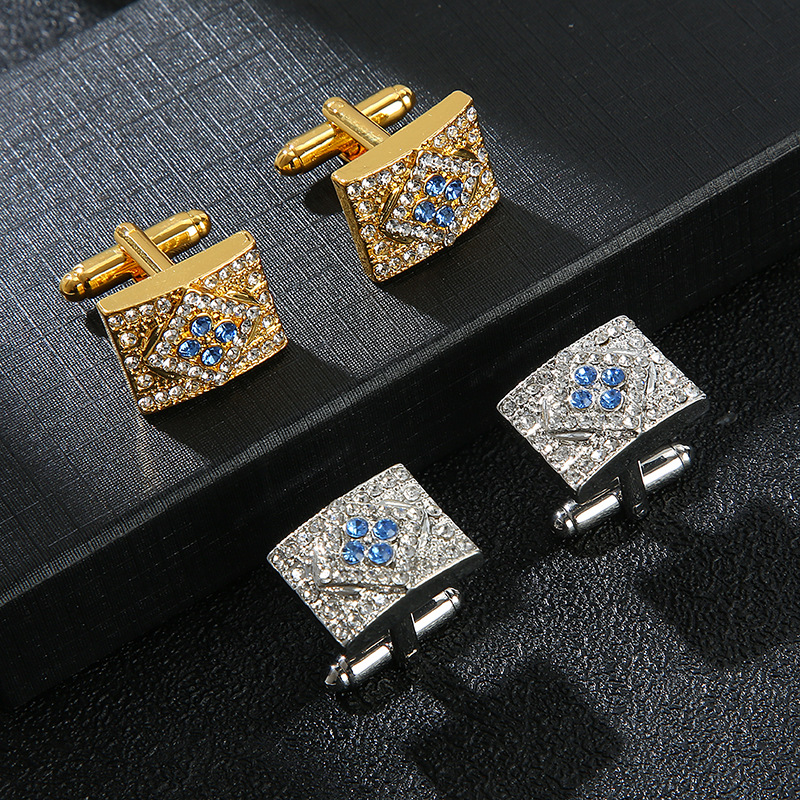
Men's Fashion Rectangular Alloy Cufflinks With Clear And Blue Rhinestone Inset French Shirt Professional Cuff Links Business Wedding Accessories
$1.37
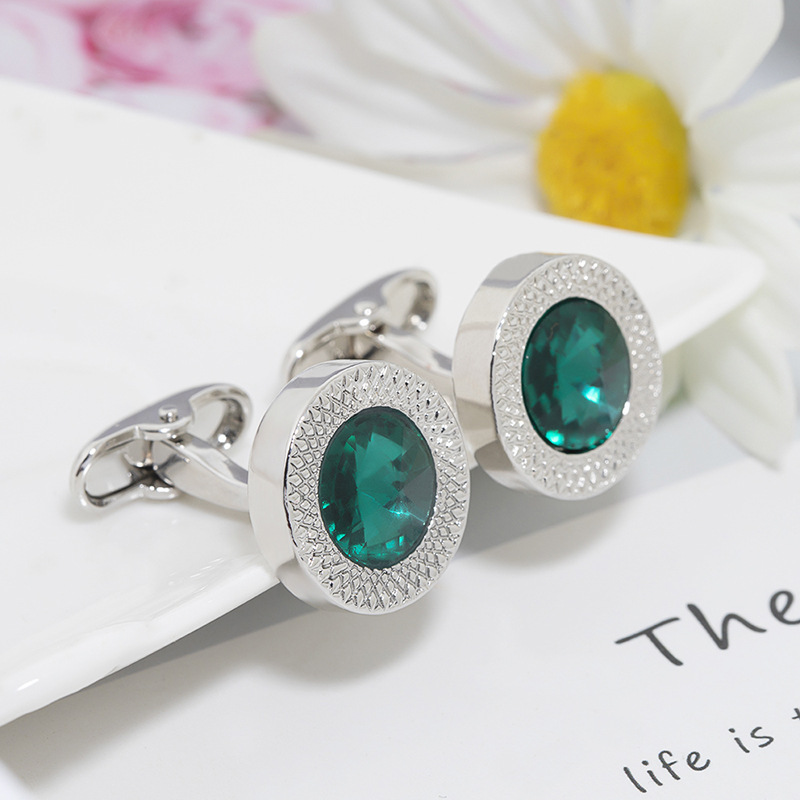
Men's Round Rhinestone Cufflinks Silver Plated Alloy Artificial Crystal Inlaid Gemstone Business Formal French Style Shirt Cuff Links Accessories
$0.99
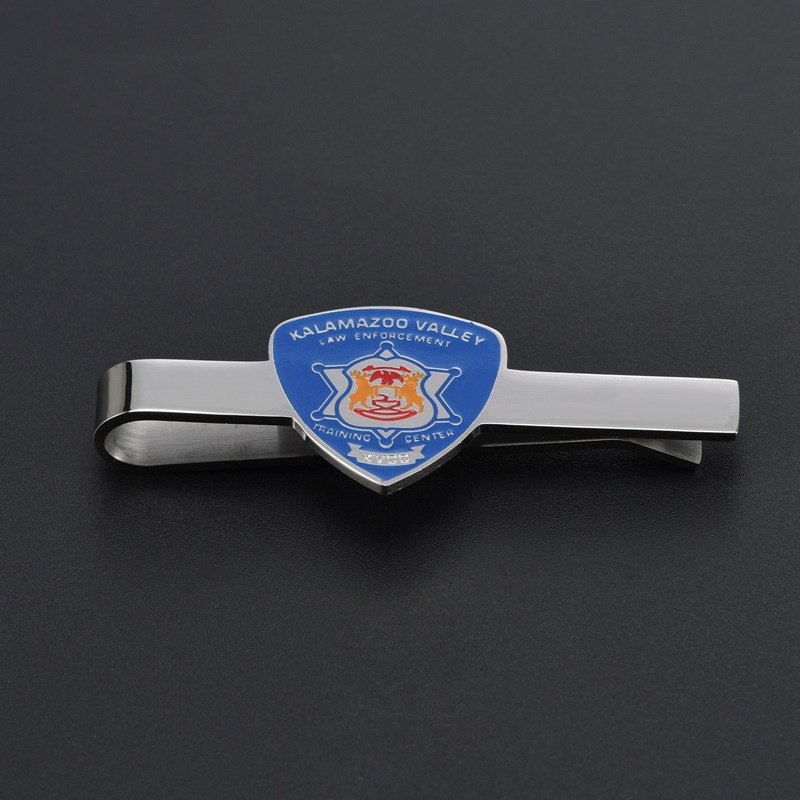
Professional Stainless Steel Tie Clip With Blue Enamel Shield Badge Law Enforcement Theme Business Formal Necktie Accessory For Men
$2.47
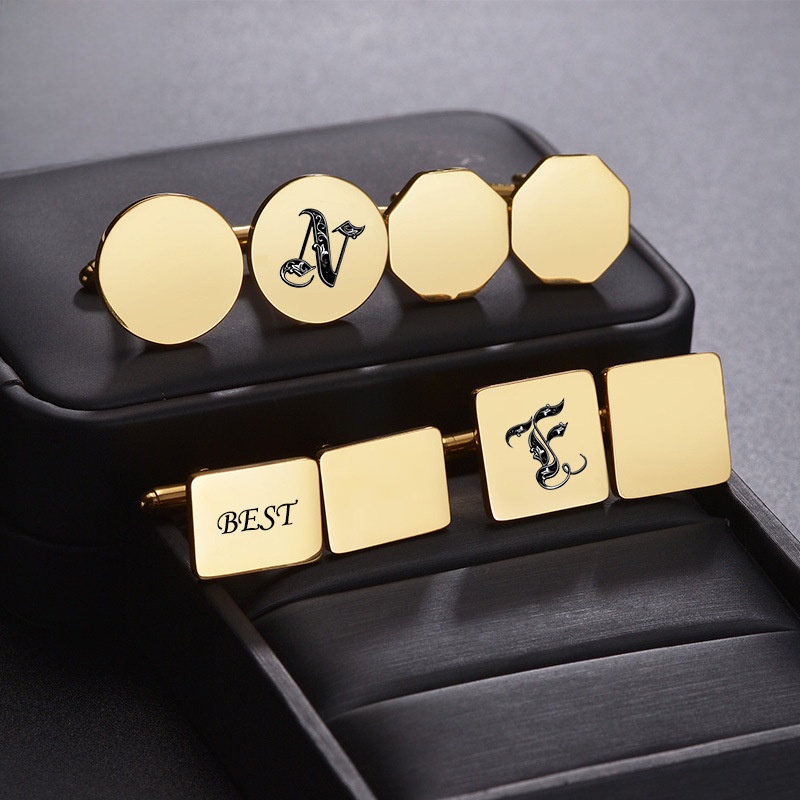
Minimalist Stainless Steel Cufflinks For Men Polished Titanium Steel Geometric Round Square Rectangular Cufflinks Business Formal Wedding Shirt Accessories
$2.12
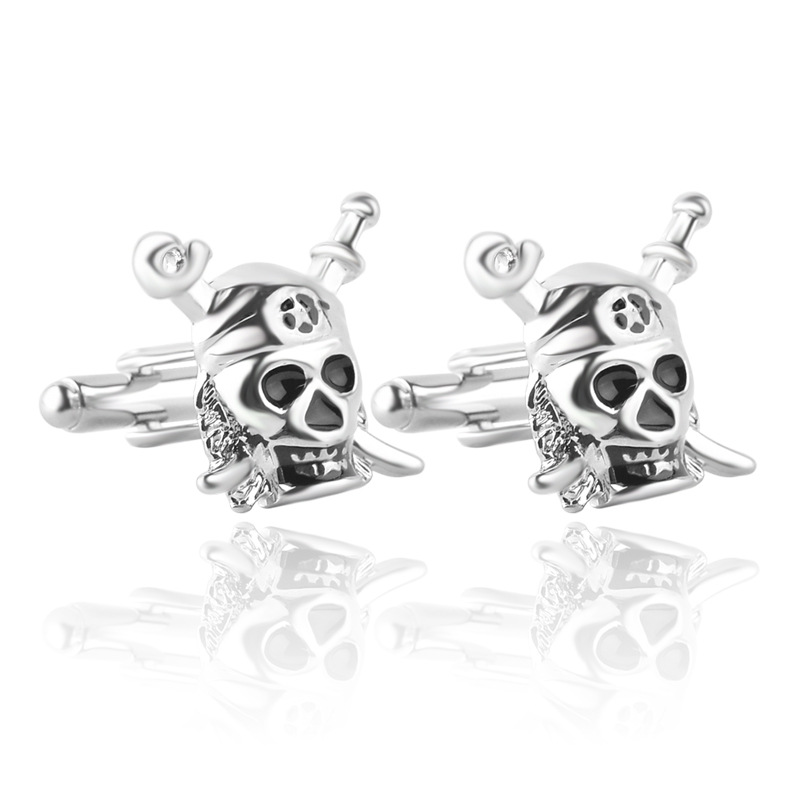
Vintage Pirate Skull and Crossbones Zinc Alloy Cufflinks for Men Retro Punk Style Business Wedding Party Shirt Accessories Jewelry Gift
$0.92
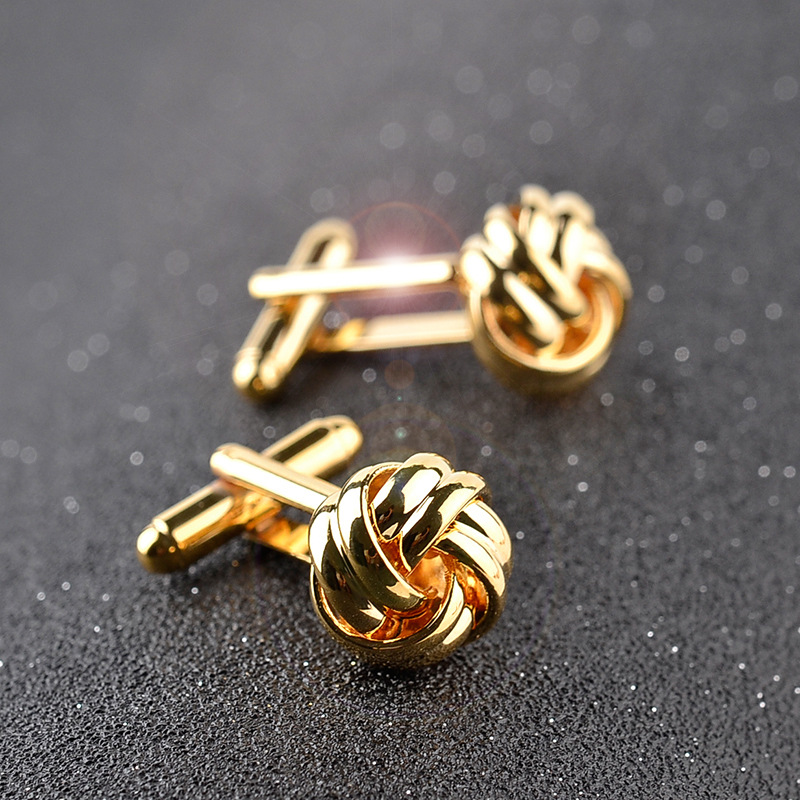
Men's Business Knot Cufflinks High Quality Alloy Woven Twisted Rope Design For Wedding Banquet Office Shirt Accessories Elegant Jewelry Gift
$1.32
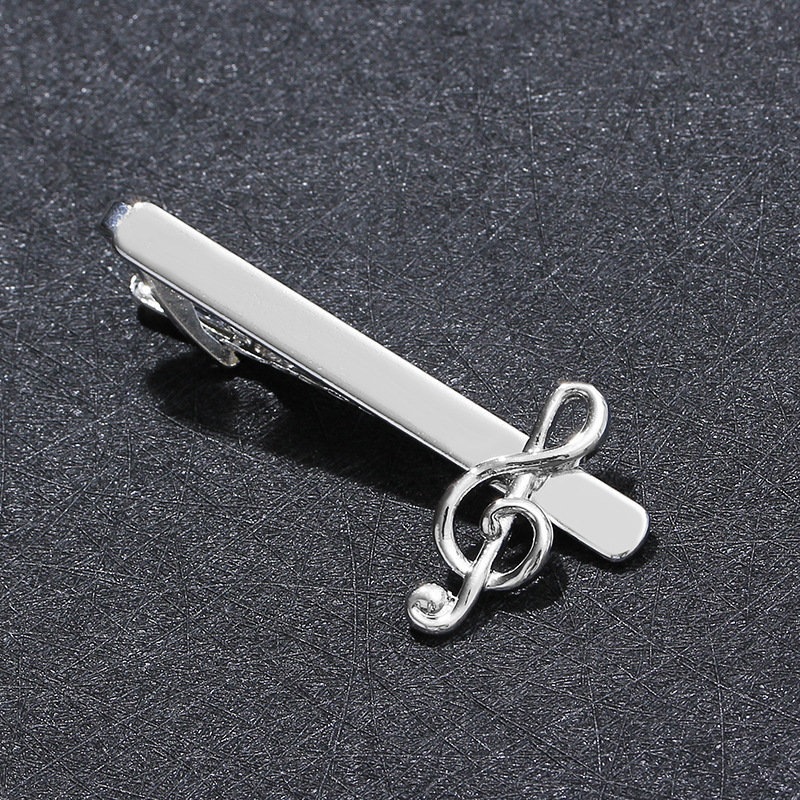
Men's Silver Copper Tie Clip Musical Note G-Clef Design Business Shirt Accessories For Professional Music Lover Wedding Party Gift
$0.57
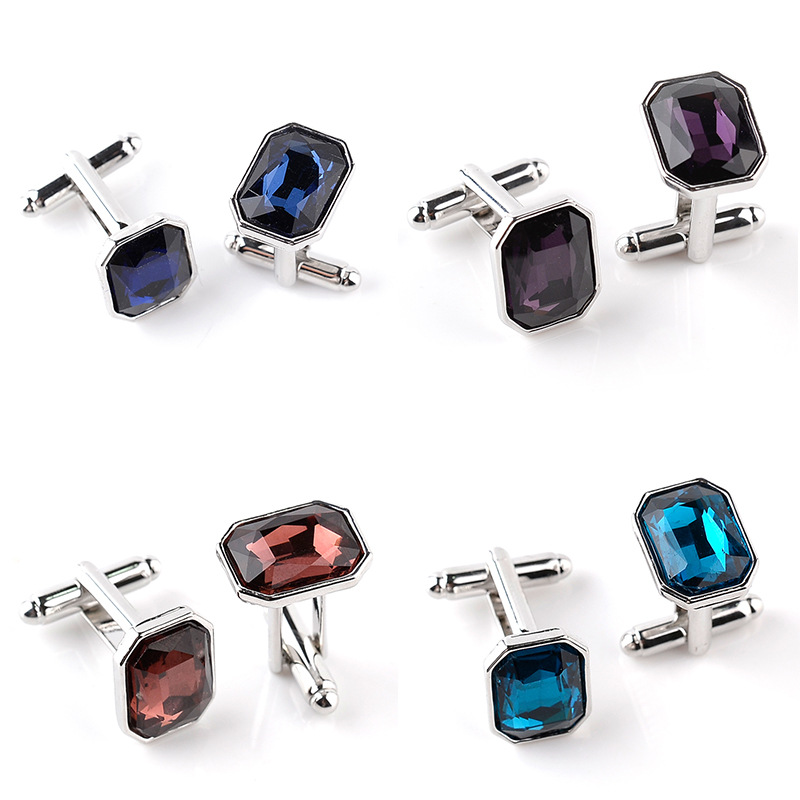
Elegant Men's Business Cufflinks Alloy Emerald Cut Rectangle Crystal Glass Stone Silver Plated Shirt Sleeve Studs For Wedding Formal Party Accessories
$0.83
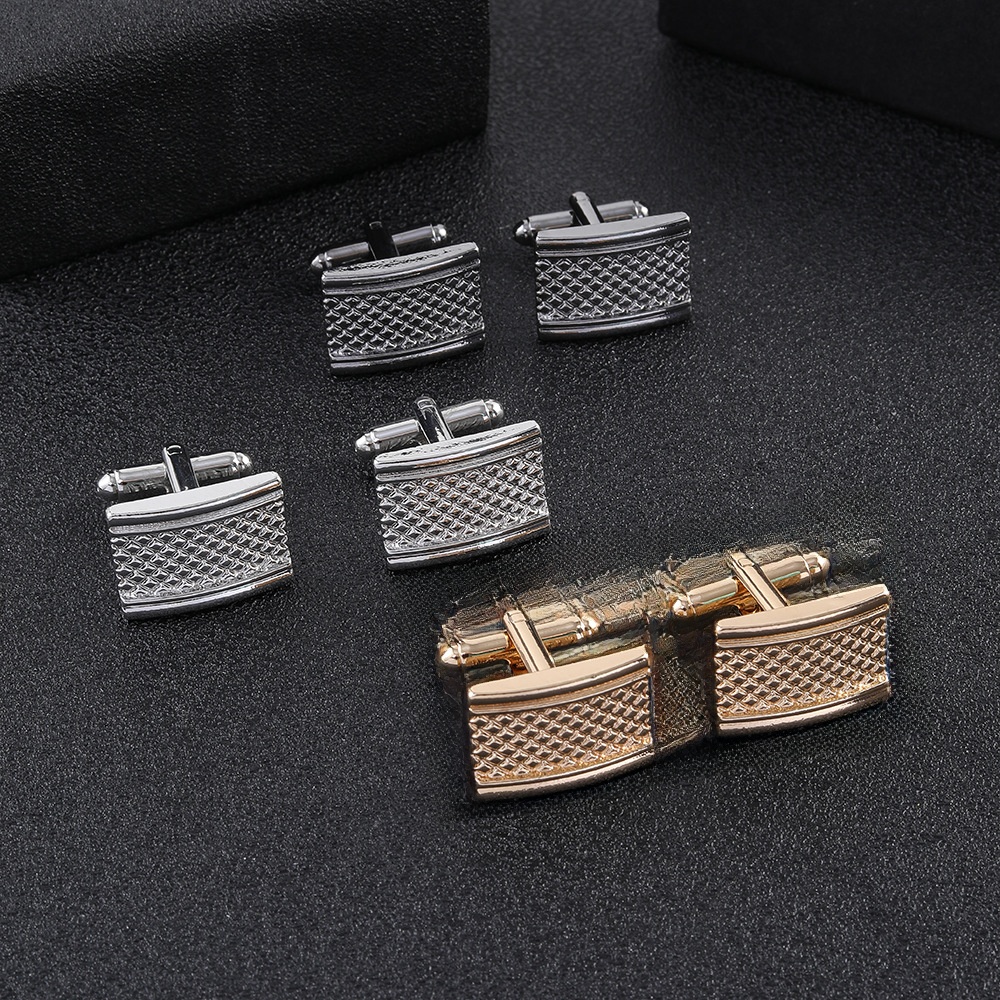
Men's Business Square Cufflinks Alloy Metal Grid Pattern Hammered Texture For Wedding Party Office Formal Shirts Suit Accessories Luxury Jewelry Gift
$0.34
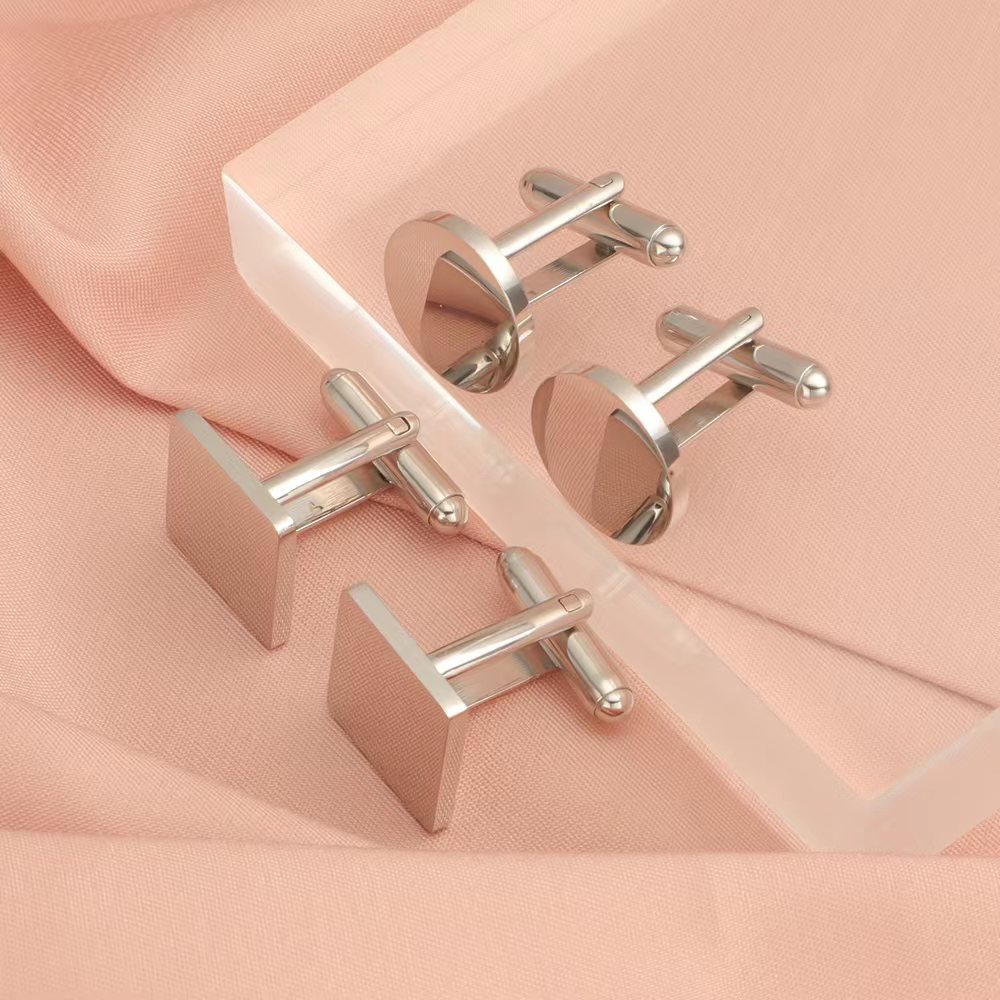
Classic Men's Metal Cufflinks Set Stainless Steel Alloy Round Square Geometric Polished Shirt Accessories For Business Wedding Banquet Formal Occasion Jewelry
$4.45
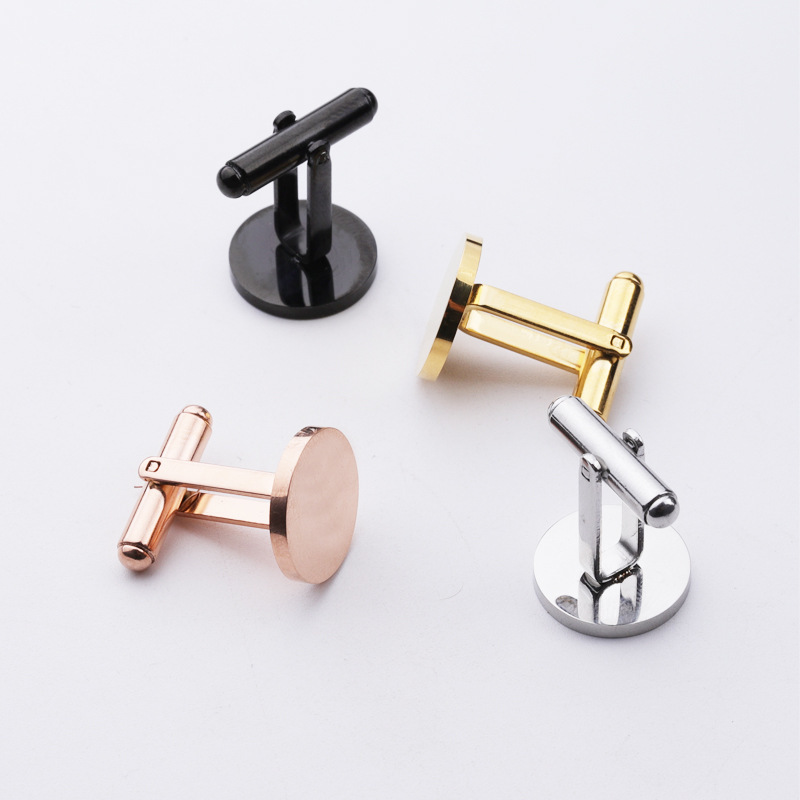
Minimalist Round and Square Men's Cufflinks Stainless Steel Mirror Polished Business Wedding Shirt Accessories Gold Silver Black Rose Gold Cuff Links
$1.13
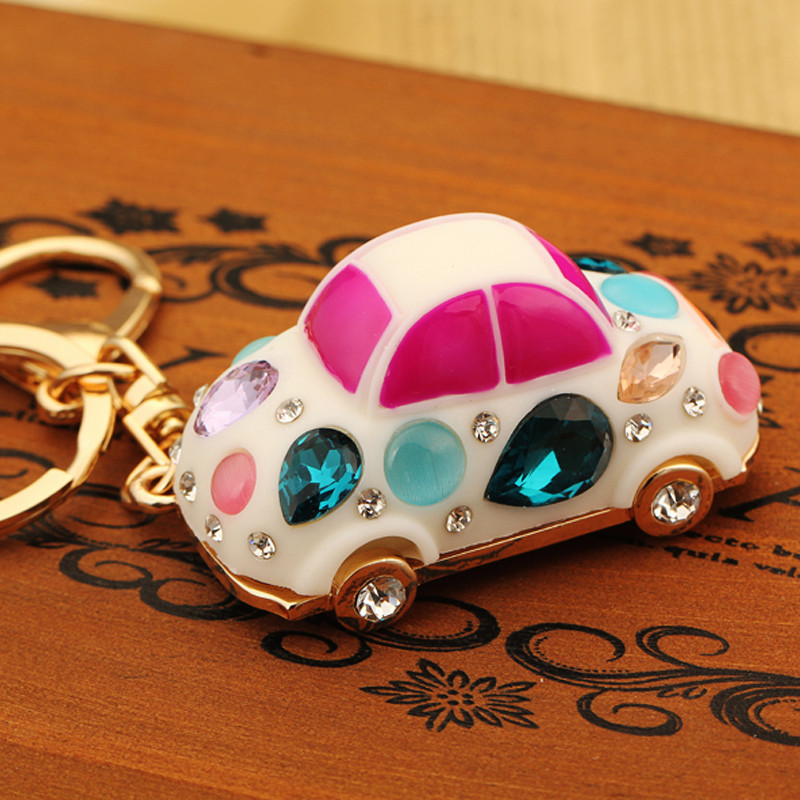
Rhinestone Car Keychain Zinc Alloy Crystal Beetle Airplane Motorcycle Shape Bag Pendant For Women Girls Cute Key Ring Business Gift Jewelry Accessories
$1.57
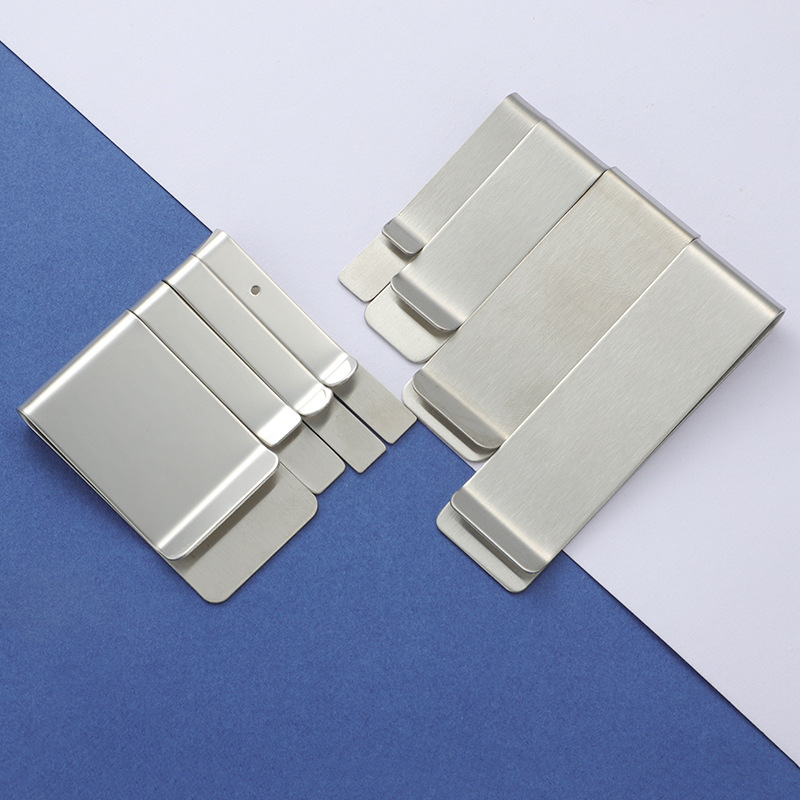
Minimalist Stainless Steel Money Clip Brushed Metal Card Holder Bill Organizer For Men Silver Slim Portable Tie Clip Cash Clamp Business Accessory
$0.52
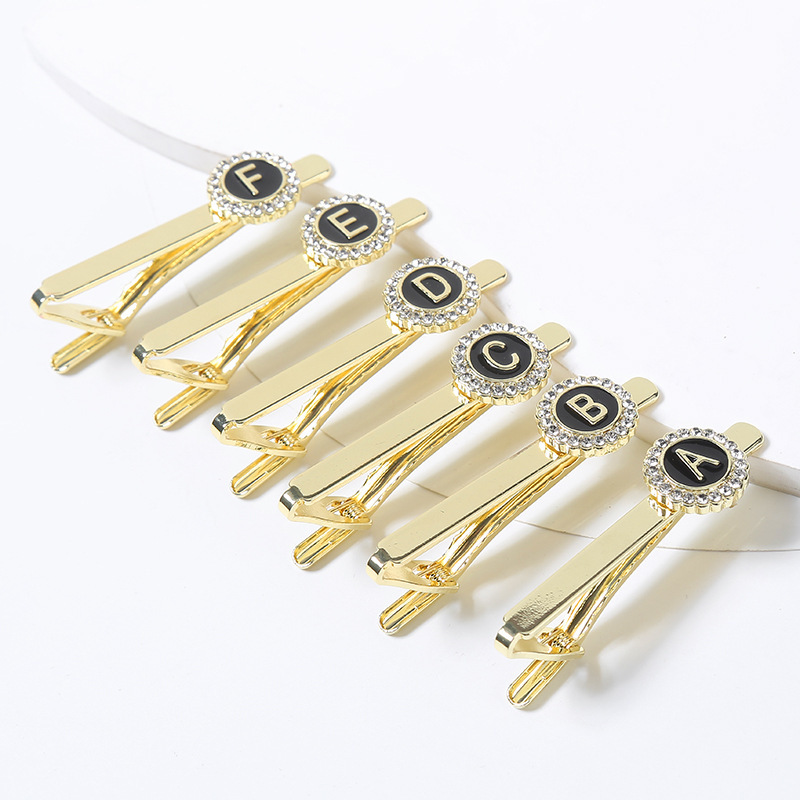
Luxury Gold Letter Initial Tie Clips for Men Round Rhinestone Inlaid Metal Alphabet A-Z Necktie Bar Business Wedding Formal Shirt Accessory
$0.90
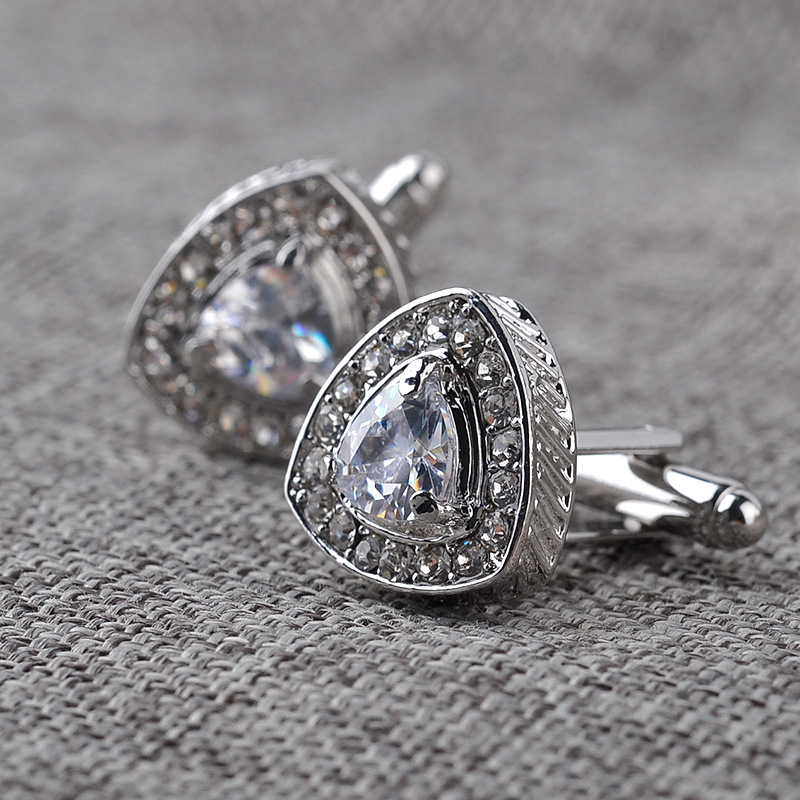
Luxury Men's Geometric Triangle Pear Shape Cufflinks Alloy Shiny Zirconia Rhinestone Inlaid French Shirt Cuff Links For Business Wedding Banquet Party Accessories
$1.32
Smart Bundles to Test First
Bundling allows you to test AI's impact on average order value and profit per customer. Use these combinations as your initial candidates for AI-driven reordering—prioritize the ones that show highest blended margin.
The Executive Starter Set
A Shopify store owner wants to upsell new buyers from single cufflinks to a complete office accessory kit.
- Men's Elegant Round Alloy Zirconia Cufflinkshero
- Professional Stainless Steel Tie Clip with Blue Enamel Shieldupsell
- Minimalist Stainless Steel Money Clipcomplement
Bundle at $4.75 vs $4.58 separately—improves margin by 3.7% while offering perceived value.
Music & Metal Gift Pack
Targeting music lovers who also wear formal attire. Ideal for pop-up events near concert venues.
- Men's Silver Copper Tie Clip Musical Note G-Clef Designhero
- Copper Glass Men's Cufflinks Soccer Trophy Patternupsell
- Rhinestone Car Keychain Zinc Alloy Crystal Beetle Shapecomplement
Bundle at $2.98 vs $3.20 purchased separately—shaves 7% off but increases unit volume by 22% in tests.
Zodiac & Crystal Cufflink Duo
For astrology-themed boutiques looking to cross-sell zodiac accessories.
- Libra Zodiac Scales Cufflinks Silver Tone Blue Enamelhero
- Luxury Men's Geometric Triangle Pear Shape Cufflinks with Zirconiaupsell
- Luxury Gold Letter Initial Tie Clips for Mencomplement
Bundle at $3.09 vs $3.09 separate—margin-neutral, but higher conversion due to perceived curation.
Tech-Enabled Accessories Set
For entrepreneurs who want wearable tech alongside business accessories—ideal for trade show stalls.
- Charging Cable Bracelet Braided PU Leather USB Data Sync Cordhero
- Minimalist Round and Square Men's Cufflinks Stainless Steel Mirror Polishedupsell
- Classic Men's Metal Cufflinks Set Stainless Steel Alloy Round Squarecomplement
Bundle at $9.00 vs $9.25 individually—improves margin perception for higher-ticket buyers.